A comprehensive guide to the best PCB kits for 2026, comparing Arduino vs Raspberry Pi, top microcontrollers, and an electronics components buying guide for hobbyists and professionals of all skill levels.
Key takeaways
- PCB kits accelerate learning with guided projects and clear tutorials.
- They can save money as components are bundled together.
- Many kits offer no-soldering options, lowering the barrier for beginners.
- Scalability lets you move from simple circuits to robotics and home automation.
- Careful selection matters: choose a kit with solid tutorials and community support.
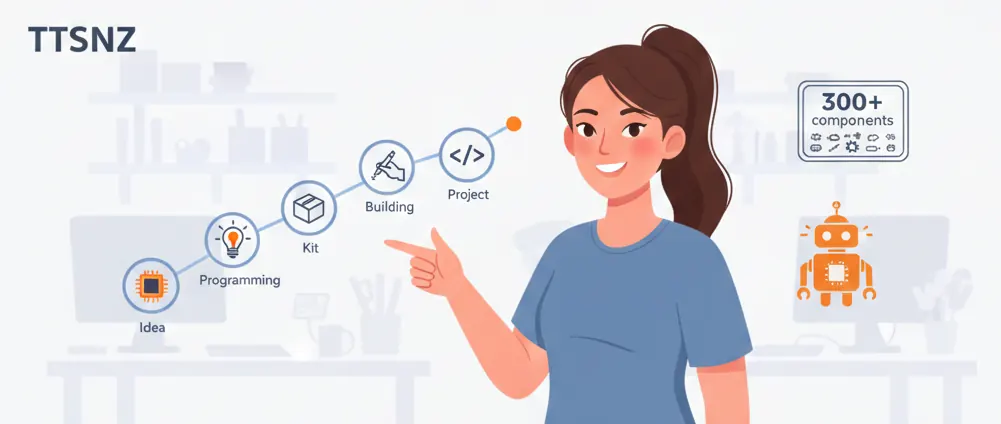
Estimated reading time: 8 minutes
Introduction
PCB kits are comprehensive sets that include printed circuit boards (PCBs), electronic components such as resistors, LEDs, sensors, and microcontrollers, along with necessary tools and tutorials to guide you in building electronics projects from the ground up. These kits are rapidly gaining popularity among hobbyists and professionals alike in 2026, especially with the surging interest in DIY electronics, STEM, prototyping, and home automation.
The focus of this article is on the best PCB kits 2026. We'll explore how these kits can facilitate your learning and project-making journey, diving into various options and what to consider when buying components for your projects. If you've been searching for an electronics components buying guide, this piece will surely serve your quest.
Let's delve deeper into the intriguing realm of PCB kits and discover the best options for 2026.
Overview of PCB Kits
What Are PCB Kits?
PCB kits are assembled bundles that typically include:
- Bare/pre-printed circuit boards
- Passive components: resistors, capacitors
- Active components: transistors, ICs
- Other essentials: breadboards, jumper wires, sensors, displays, and Arduino-compatible microcontrollers.
Benefits of PCB Kits
- Accelerated Learning: Guided projects enhance understanding and skill-building.
- Cost Savings: Kits are more economical than buying each part separately.
- Suitability for Beginners: No-soldering options exist, easing the barrier for novices.
- Scalability: From simple circuits to complex systems like robotics, kits can scale with your expertise.
These benefits make PCB kits an ideal choice for both learning and serious projects in 2026.
Top Picks for the Best PCB Kits 2026
| Kit Name | Price | Key Components | Soldering Required? | Best For | Pros | Cons |
|---|---|---|---|---|---|---|
| ELEGOO Mega R3 Ultimate Starter Kit | ~$65 | 200+ components (Arduino Mega R3, LCD, sensors) | Yes | Full-featured learning | Professional tutorials, versatile for deep projects | Higher cost for absolute beginners |
| ELEGOO UNO R3 Super Starter Kit | ~$40 | 200+ components (Arduino UNO, breadboard) | Yes | Budget beginners | 22 lessons, affordable | Fewer advanced parts |
| Snap Circuits SC-300 | ~$65 | 300+ snap-together parts | No | Kids/STEM education | Safe, intuitive, no tools needed | Limited to basic circuits |
| Seeed Studio Grove Beginner Kit | ~$55 | 10 plug-and-play modules | No | Modular prototyping | Rapid sensor projects, Arduino-compatible | Fewer total components |
| DFRobot Beginner Kit | ~$58 | 20+ components (OLED, buzzer, joystick) | Optional | Sensor projects | Tutorials for automation | Niche focus |
| Adafruit Circuit Playground Express | ~$55-58 | Built-in sensors, LEDs | No | All-in-one learning | Supports CircuitPython/Arduino | Less expandable |
| Geekcreit Mega 2560 Starter Kit | ~$65 | 240+ components (Mega 2560 board) | Yes | Advanced hobbyists | Robotics/home automation | Steeper learning curve |
| Smraza 104pcs Double-Sided PCB Kit | ~$25 | 104 assorted PCB boards | Yes | Custom prototyping | Cheap for DIY soldering | Components sold separately |
Tips for Choosing the Right PCB Kit
Match the kit to your skill level:
- Beginners might prefer no-solder kits (e.g., Snap Circuits).
- Programmers might enjoy Arduino-based kits (e.g., ELEGOO).
- Consider component count for versatility, and look for kits that come with tutorials to guide you in your projects.
Electronics Components Buying Guide
When selecting electronic components, focus on these key aspects:
- Quality: Choose durable brands like ELEGOO or Elenco to avoid premature failures.
- Compatibility: Ensure components match your project's voltage and resistance needs.
- Cost: Kits priced under $65 usually provide the best value.
Organizing and Shopping Tips
- Storage: Use kits like Elenco CK-1000 with compartmental storage to organize your components neatly.
- Supplier: Opt for reputable suppliers available on platforms like Amazon or AliExpress. Assess suppliers based on reviews, return policies, and whether they include worthwhile tutorials. Yamane Electronics and YouTube Guide can be helpful references.
Top Microcontrollers for Beginners
Microcontrollers are pivotal in electronics projects, acting as compact computers that manage inputs and outputs through code. Here are some top choices for beginners:
- Arduino UNO/Mega R3: Known for an easy-to-use IDE, vast libraries, and compatibility with various kits. Ideal for sensor and automation projects.
- Seeed Grove Modules: Offers modular and no-wiring installation, perfect for Arduino-based projects.
- Adafruit Circuit Playground: Equipped with built-in sensors and multi-language support, including CircuitPython.
These beginner-friendly microcontrollers come with robust community support and tutorials, making them excellent for skill-building.
Arduino vs Raspberry Pi for Projects
| Feature | Arduino | Raspberry Pi |
|---|---|---|
| Core Function | Real-time control of hardware (sensors, motors) | Full computer for OS, GUI, networking |
| Ease for Beginners | High (simple code, no OS) | Medium (Linux setup required) |
| Power/Use Case | Low-power embedded (robots, IoT) | High-power media/projects (cameras, servers) |
| Cost in Kits | $40-65 | $35+ (GrovePi+ kit ~ $55) |
| Best For | Hardware-focused prototypes | Software-heavy apps |
Recommendations
- Use Arduino for projects involving sensors and motors, which are hardware-focused.
- Opt for Raspberry Pi when your project demands more computing power, such as AI or advanced vision tasks.
- Pair your kit with solid tutorials and a supportive community.
Conclusion
The best PCB kits 2026, like those from the ELEGOO series, offer great value. They pair high-quality components with detailed tutorials that enhance and expedite learning. Picking a kit aligned with your skill level and needs ensures you're on the path to success in your electronics ventures.
Frequently Asked Questions
A: A PCB kit is a bundled set that includes a PCB board, a selection of components, and often tools and instructions to build projects—designed to simplify learning and prototyping.
Q: Are PCB kits beginner-friendly?
A: Yes, many kits are designed for beginners with guided tutorials and, in some cases, no-solder options. Look for kits labeled as beginner-friendly and check for included learning resources.
Q: Do PCB kits require soldering?
A: It depends. Some kits require soldering to assemble components, while others are no-solder or snap-together for quick experiments. Review the "Soldering Required?" column in the kit table to decide what fits your needs.
Q: How should I choose a PCB kit?
A: Start with your project goals and skill level. Consider the kit's components, tutorials, community support, and whether soldering is required. Compare against similar kits and read user reviews to gauge real-world value. See references to Kingsun PCB and Drop for example kits.
Q: Where can I learn more about PCB kits?
A: Start with reputable guides and product roundups, then experiment with a beginner-friendly kit.